
Its time for SOLIDWORKS World 2016!
Each year, a list of new enhancements in the next release of SOLIDWORKS will be introduced for us to look forward to. This year’s SOLIDWORKS World was no different. So, what’s new in SOLIDWORKS 2017?
Here comes a quick recap of these new enhancements:
Here comes a quick recap of these new enhancements:
*Gentle reminder: This is only a TECHNOLOGY PREVIEW. Features / functionality are always changing until fully vetted and not guaranteed to be in the next release.
BI-DIRECTIONAL CIRCULAR PATTERN
Circular pattern in both directions

MULTI-DISTANCE CHAMFER
Multiple sizes in one feature
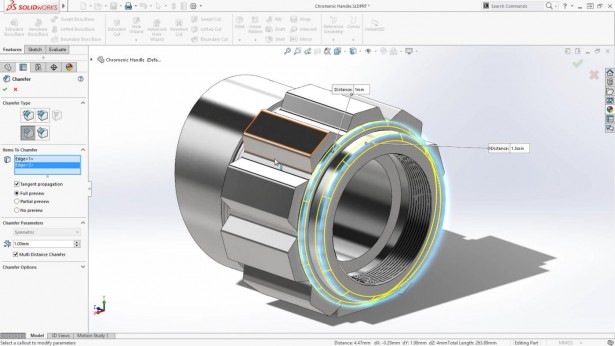
VARIABLE CHAMFER
New functionality in a single feature

COMBINE CHAMFER-FILLET FEATURE
Both operations now in a single command
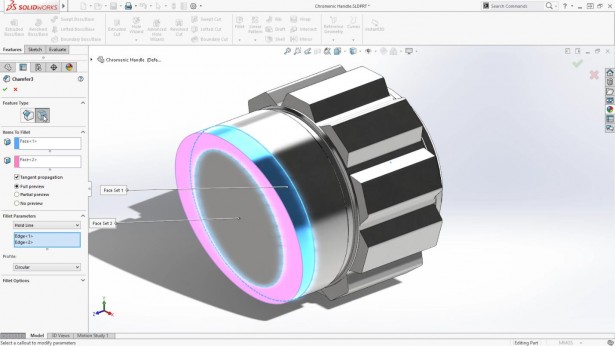
TRANSPARENT SECTION VIEWS
Transparent parts now included in section views

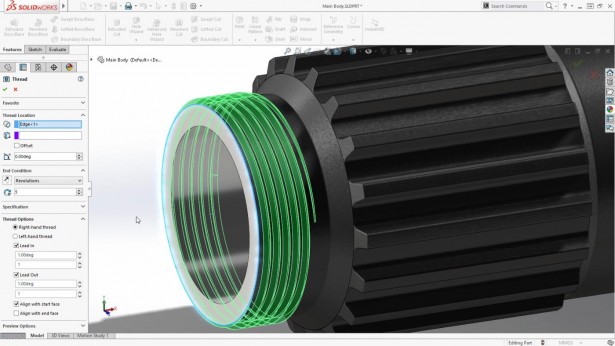
THREAD FEATURE LEAD-IN / LEAD-OUT
Adding manufacturing options to the Thread Feature introduced in SOLIDWORKS 2016
TREEHOUSE DRAWING IMPORT
Treehouse automatically imports associated Drawings
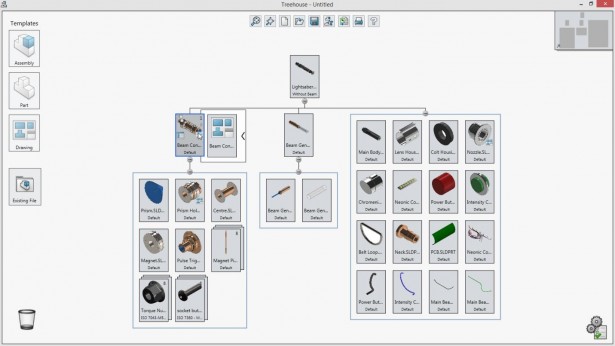
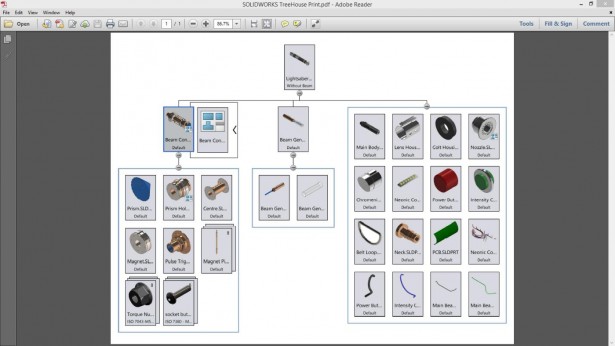
TREEHOUSE STRUCTURE PRINT
Printing the Treehouse Structure now supported
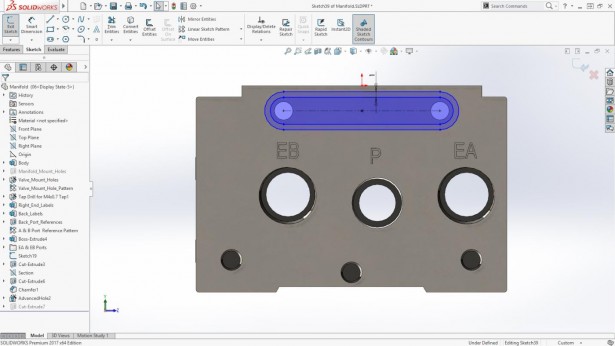
SHADED SKETCH CONTOURS
Sketch Contours now shaded for clarity and easier manipulation
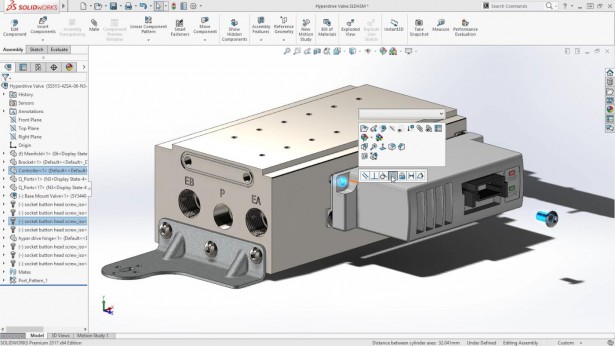
ADVANCED HOLE WIZARD
New Functionality to create multi-step holes

SMARTER MATE PLACEMENT
Components move closer to their intended location
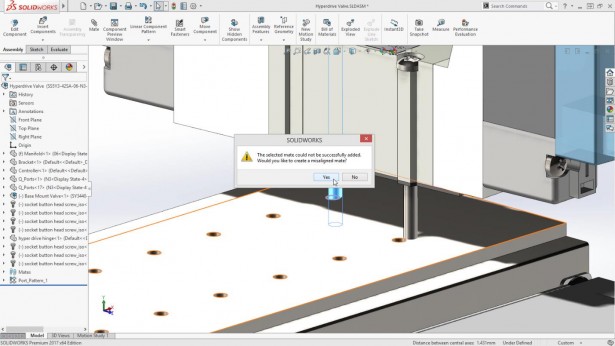
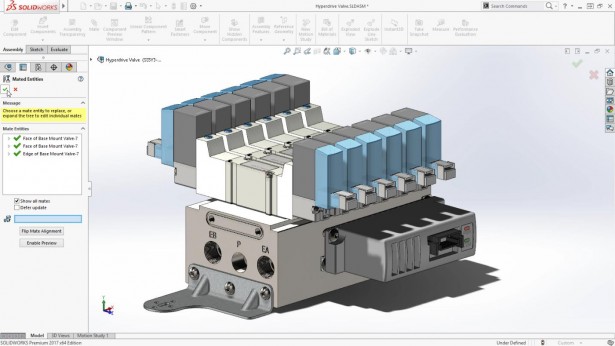
MISALIGNED MATES
Concentric faces that won’t align can be overridden without over-defining the assembly
SUB-ASSEMBLY SAVED AS A PART NOW MAINTAINS ALL REFERENCES
Face ID’s are maintained so mates don’t fail on replace
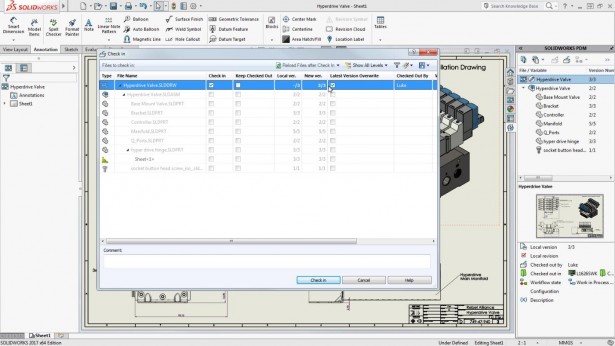
SOLIDWORKS PDM LATEST VERSION OVERWRITE
Small changes no longer require a new version
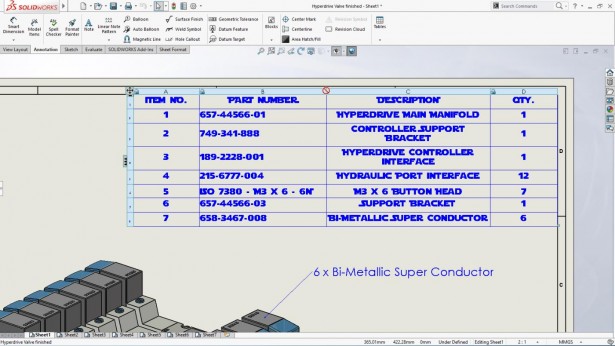
LOCK BOM TABLES FROM TEMPLATE
Table items locked in the template remained locked when placed in the drawing
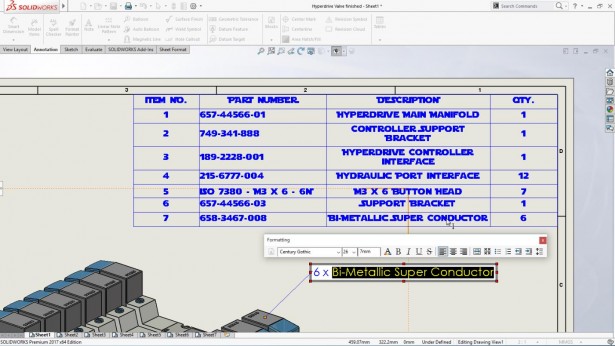
NOTES CAN REFERENCE BOM CELLS
Directly reference BOM Cell items
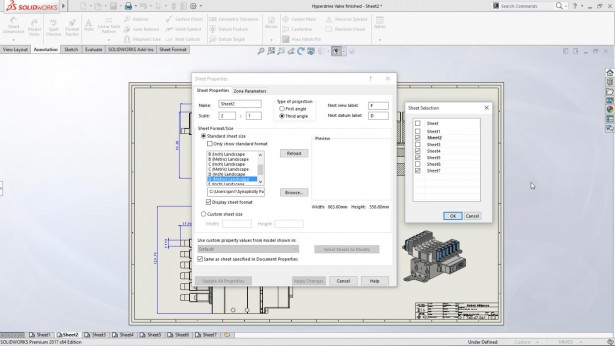
MULTI-SHEET PROPERTY EDITS
Make sheet property edits apply to selected sheets
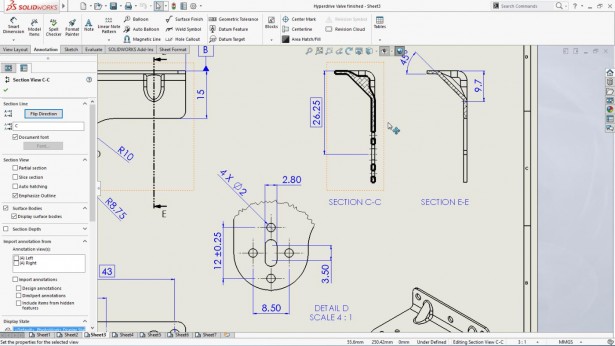
EMPHASIZE SECTION OUTLINE
Section view outlines can now be outlined for clarity
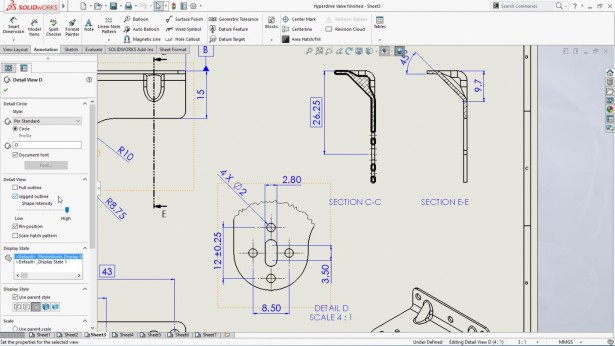
JAGGED OUTLINE FOR DETAIL VIEWS
Detail views can now be shown with jagged lines
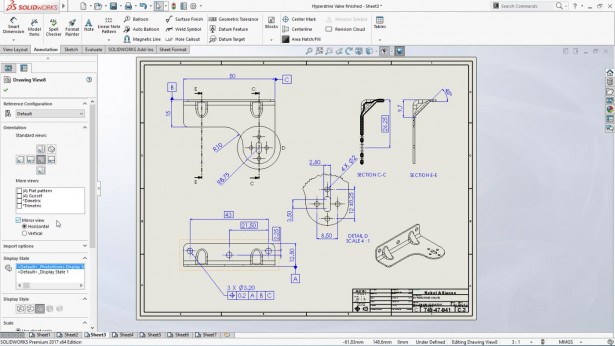
MIRROR VIEWS
Mirror the drawing without creating the 3D Part
BASIC DIMENSIONS OF SIZE
New functionality in DimXpert
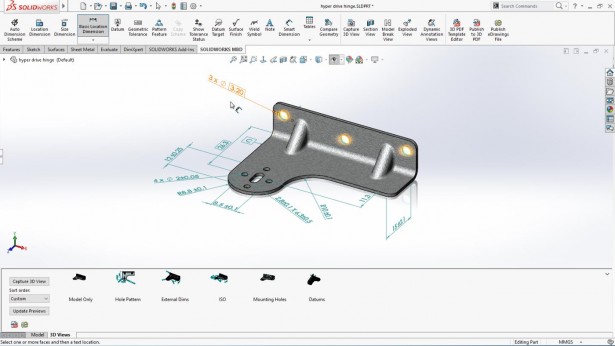
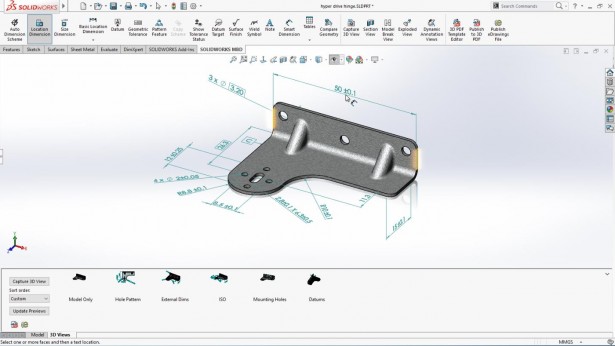
3D DIMENSIONS TO EDGES
DimXpert now supports surface and edge selection
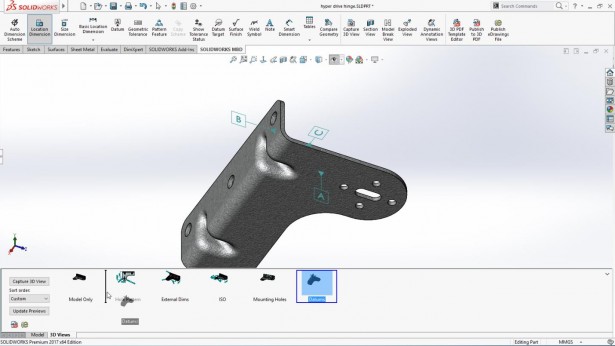
RE-ORDER 3D VIEWS
3D Views in SOLIDWORKS MBD can now be reordered
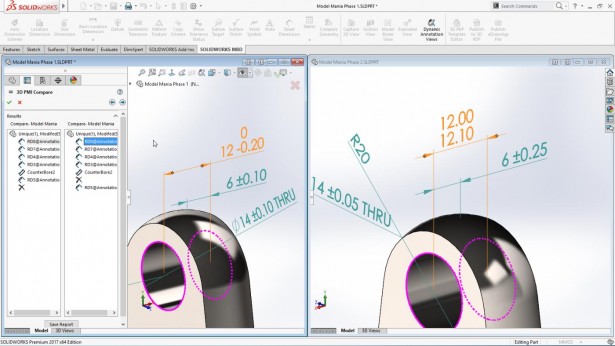
COMPARE 3D ANNOTATION TOOL
Compare different versions of PMI data in SOLIDWORKS MBD
HIDE ALL REFERENCE ITEM TYPES
New functionality to hide all types with a single command
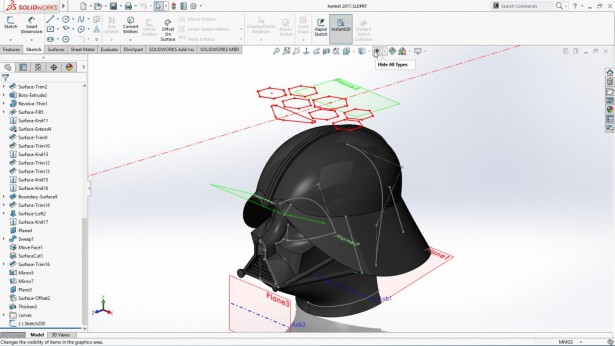
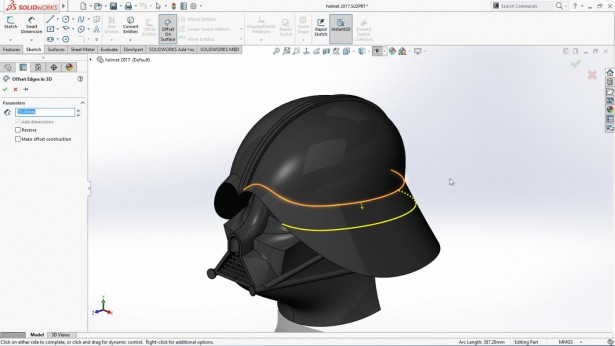
OFFSET CURVE ON SURFACE
Offset a 3D Curve on a surface
WRAP SKETCHES ONTO ANY SURFACE OR ONTO MULTIPLE SURFACES
Wrap sketch now supports any surface and multiple surfaces

MAGNETIC MATES
Components automatically snap together with predefined references

MAGNETIC MATE ASSET PUBLISHER
Fast setup for magnetic mates

EDRAWINGS OPENS MANY MORE FORMATS
eDrawings now supports opening many new file types with measure and markup
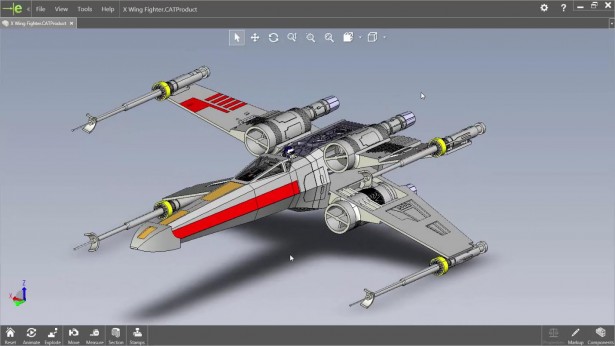
OPEN AND USE MANY CAD FORMATS
Reference other CAD data without importing the geometry
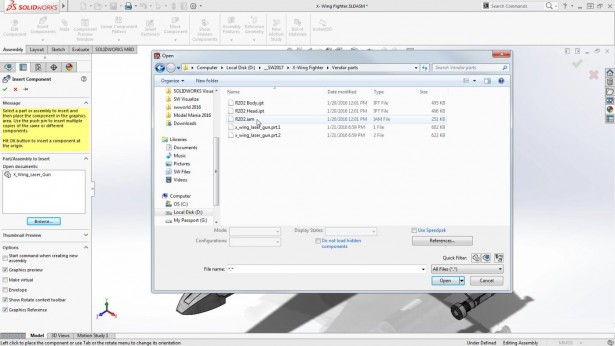
MAINTAIN FEATURES AND MATES WHEN CHANGES MADE TO IMPORTED CAD DATA
Imported CAD data now maintains feature and mate references when changes are made
Thanks for reading.