
- Reduce the need to copy and print. When you need to, copy and print on both sides of the paper.
- Consider car pooling, for work and personal trips.
- Consider purchasing a Hybrid vehicle, or more efficient car if you must drive a lot.
- Decrease your meat consumption
- Buy goods that were produced locally rather than transported across long distances.
- Turn off your computer when you’re not using it.
- Set refrigerator temperature at 36-38 degrees and your freezer to 0-5 degrees
- Use the microwave instead of conventional ovens and stove.
- Replace any incandescent light bulbs with Compact Fluorescent Light Bulbs (CFL) or Light-Emitting Diodes (LEDs).
- Design Products in Solidworks….
Yes! design your products in Solidworks with SustainabilityXpress.
Solidworks SustainabilityXpress is a add-in in Solidworks that help you to understand and improve the environmental impact of your designs. It promotes Life Cycle Assessment (LCA). This tool will looks at everything that happens in the production, use, and final disposal of the product. This even includes all the transportation that occurs between the stages. Decisions on the material used, how it is manufactured, … can result in vastly different effects on the environment. SustainabilityXpress shows you these impacts and helps you to improve your design.

Solidworks SustainabilityXpress includes ability to calculate:
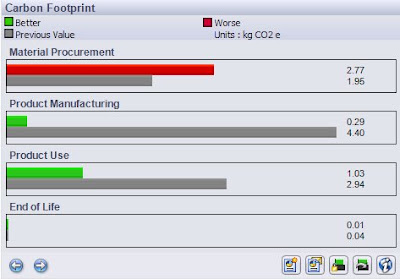
- Carbon Footprint – production of greenhouse gasses.
- Total Energy Consumed – self explanatory.
- Effect on Air – specifically the contributor to acid rain.
- Effect on Water – which results in algae blooms in coastal waters.
- Find Similar Material tool – search the built-in material database for close alternatives to your current material
To use Solidworks SustainabilityXpress, you need to download this product from Solidworks Lab and then add-in this product from Solidworks add-in tools.

After you add-in, Click Tools > SustainabilityXpress or Click SustainabilityXpress from Evaluate CommandManager tab
SustainabilityXpress will appear on the task pane of Solidwork UI.
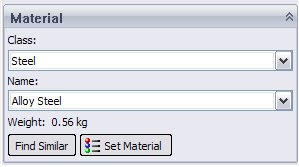
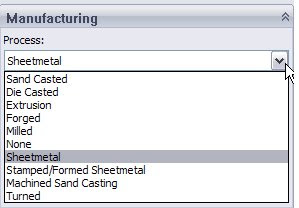
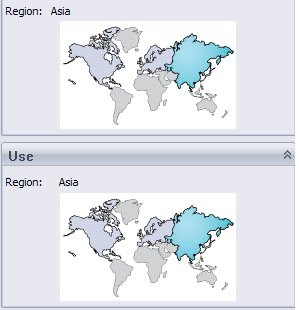
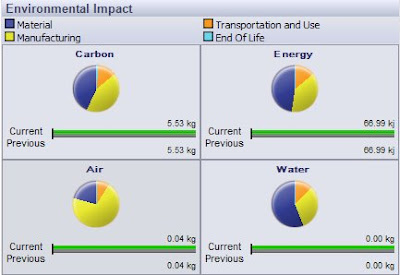
You can click previous and next at the bottom of the Task Pane to scroll through detailed reports of the selected material’s environmental impact on carbon, energy, air, and water.
So lets help in conservation of the earth resources, tell everyone about this tool and teach them how to use it(i hope you had learned a bit from this post). At least this something we can do to
“Heal the World,
Make it a Better Place,
For you and for me and the entire human race,
……….”
🙂
~ah lau~