
Cyberattacks and data corruption are common concerns for large corporations. To secure your data, you can choose between cloud-based platforms and solutions that run locally within your company’s premises. Some security solutions allow administrators to disable export functions and printing services, helping to prevent sensitive information from being leaked by a corporate insider. Selecting the right solution is an important step, as investing in an unsuitable product to manage your files can expose the company to serious operational and financial risks. A breach or theft of confidential corporate data can result in significant financial losses and reputational damage.
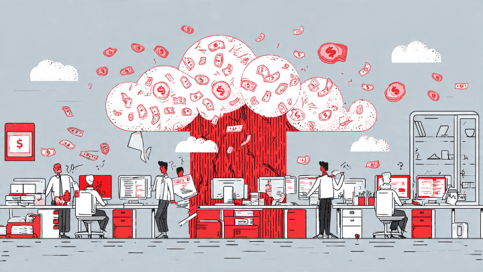
Cyberattacks and hacking can cause major technology companies to incur significant losses due to data breaches.
SOLIDWORKS PDM (Product Data Management) is one of the SOLIDWORKS solutions designed to create an ecosystem for storing and securing data on yaour computers. Compared to 3DEXPERIENCE, SOLIDWORKS PDM allows you to secure your data locally, with or without internet access. Administrative settings can also be configured and managed locally within the corporate network.
SOLIDWORKS PDM can create a secure environment that helps protect your data within your company’s premises against external cyberattacks.
Login Settings
Access to a PDM vault requires a unique login ID and password. The initial setup of user credentials requires the administrator to configure the appropriate settings for the company. User profiles can be created easily by entering the required personal information. Administrators can also upload user profile pictures and reset passwords whenever necessary as part of the company’s security measures. When there are changes in end users or workforce headcount, login access to the vault can be added, edited, or removed at any time. However, the number of users who can access the vault simultaneously depends on the number of available client licenses. For example, if the company has three client licenses, only three users can access the vault at the same time, even if the administrator has created 15 user accounts.
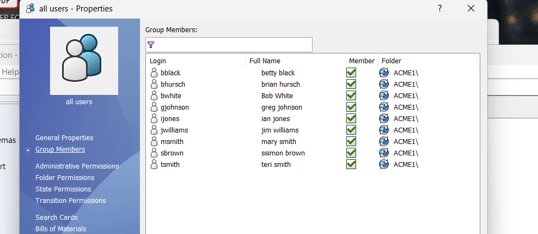
The administrator can add multiple users, create login accounts, and manage each user’s permissions and access to data in the vault.
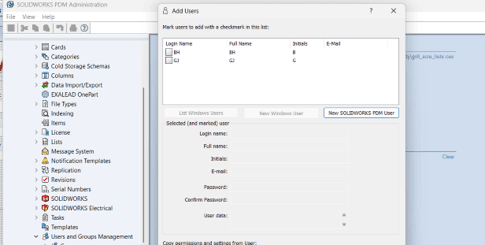
Quick setup options allow the administrator to create users with unique login IDs and passwords, including user profile pictures.
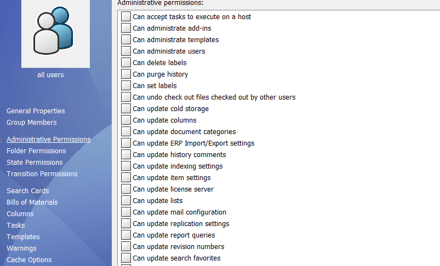
Permission settings can be assigned to individual users to support unique workflows within the data vault.
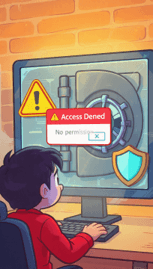

Administrative controls in the PDM system can help prevent unauthorised attempts to access user accounts.
Vaults for Different Groups
If your server computer has a valid SQL Server installation and sufficient hard-disk space, you can create multiple vaults to separate files according to your company’s requirements. Alternatively, you can store all files in a single vault and use filtering functions to locate the information you need. A vault is not only a place to store files; it also allows you to define user groups, assign different permissions, and manage the company’s workflow. The approval process enables designers to submit their work within the vault and obtain approval from a manager. In this way, the PDM vault not only stores files securely on the company’s server but also provides an ecosystem for standardising workflows. The system’s user interface can also be customised with the company logo and a layout tailored to the organisation’s needs.

Creating multiple vaults allows you to organise files and maintain separate vaults for different groups or business functions.
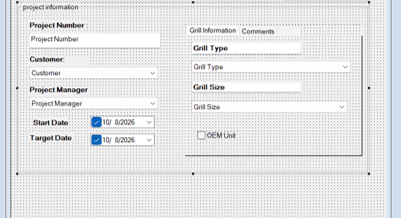
The customisable user interface allows you to display your company logo and branding on the login window and use drop-down options to quickly filter the information you need in the data vault.
If you are interested in knowing more about creating a private, secure environment for your data and how our solutions can help, feel free to contact us or register for our upcoming events and webinars
Email: sales@cadcam.com.my
WhatsApp: https://wa.link/0jj9tc
Want to learn on your own time before contacting us? Watch this SOLIDWORKS PDM related webinar for better insight!
– Chai Chia Hin, Henry
Senior Solution Advisor